Creating Scripts in Bitbybit
Without a project
Open an editor from Apps in the bitbybit.dev header, or by its address, and start working. No account is needed.
- Rete:
https://bitbybit.dev/app?editor=rete - Blockly:
https://bitbybit.dev/app?editor=blockly - TypeScript:
https://bitbybit.dev/app?editor=typescript - Designer:
https://bitbybit.dev/app?editor=designer, on the Gold plan
https://bitbybit.dev/app alone asks which editor to start.
Nothing is stored until the script holds something. From your first change, it is kept as a draft in this browser, in the Drafts project, named after its editor and the time you started. You can rename it, move it to the cloud, or import it into another project later. A draft lives on this device only, like every project in this browser: export it to keep a copy anywhere else.
In a project
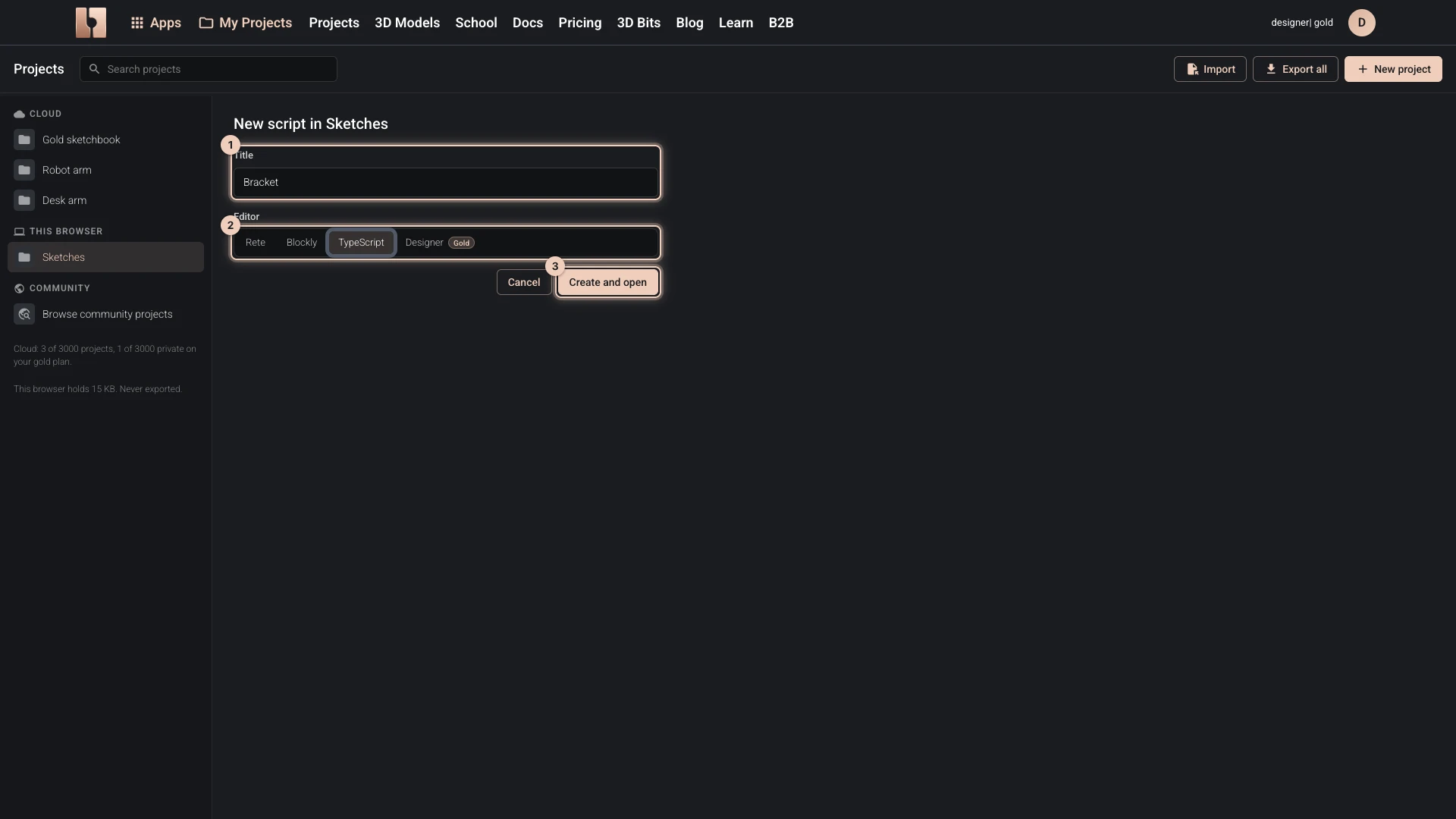
- In My Projects, choose the project: one in the cloud or one in this browser.
- Choose New script.
- Give it a Title and choose its Editor.
- Choose Create and open.
The editor opens with a small example to change or delete. A cloud script is saved to your account as you work (how saving works). When a project holds as many scripts as your plan allows, New script is greyed out.
Where a script lives, from its address
A cloud script's address names its author, project and script, and works on any device for whoever may open it:
https://bitbybit.dev/app/[public-user-name]/[project-id]/[script-id]?editor=[rete|blockly|typescript|designer]
For example: https://bitbybit.dev/app/matas/mlN4ge3rHJbe0R9suBns/CS3ulgvY7eVh2di8FXHK?editor=rete
A script in this browser has an address that starts with https://bitbybit.dev/app/_local/. It opens only in the browser that keeps it.
Verified against the product in October 2026