Export and import design files
Export
Choose File > Export.... The dialog offers the whole project or the document that is open:
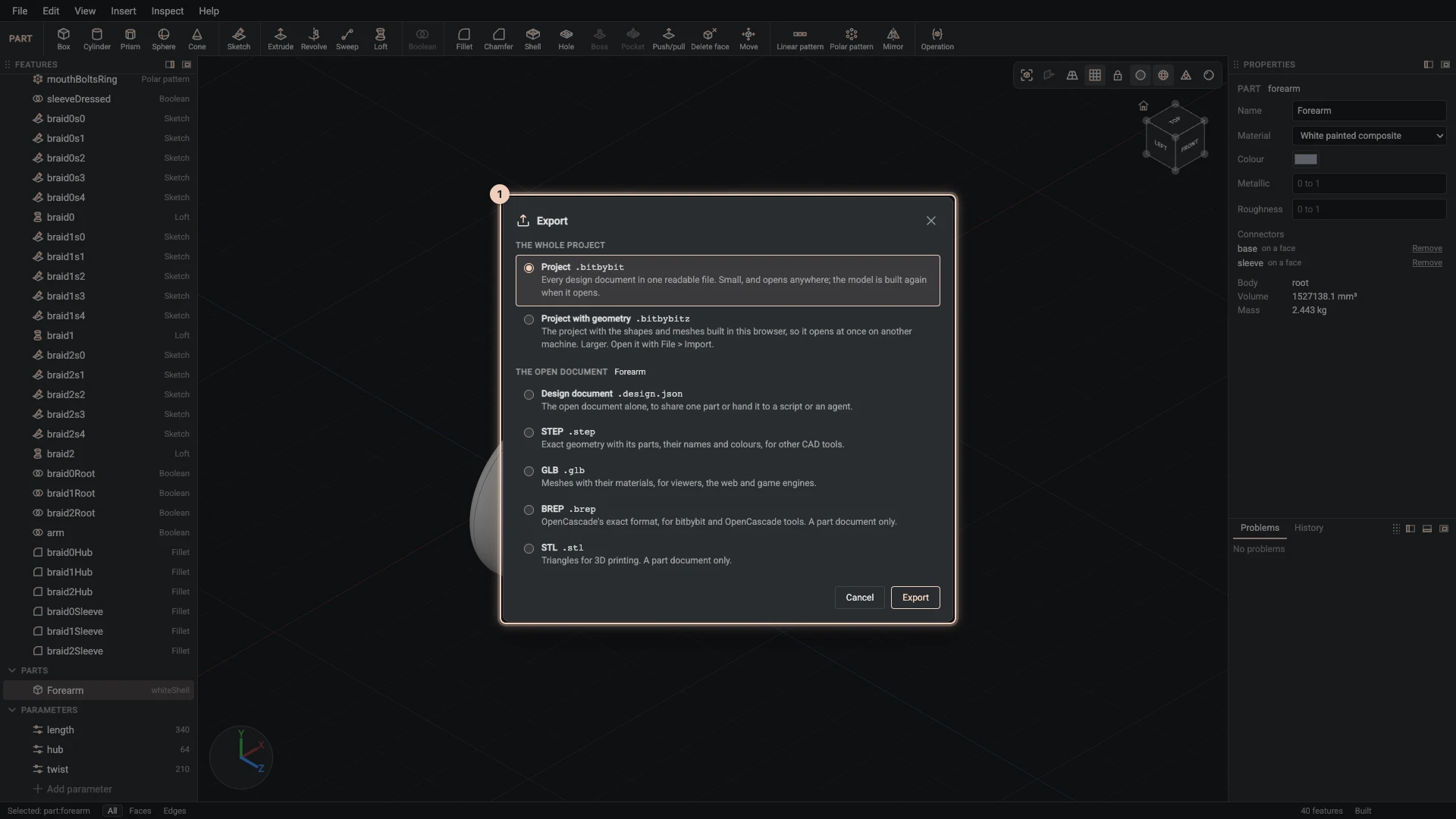
| Choice | What you get |
|---|---|
| Project | Every document of the project in one .bitbybit file, to keep, share or open again. |
| Project with geometry | The same with its built geometry (.bitbybitz), so it opens almost at once. |
| Design document | The open document as a design document (.design.json). |
| STEP | The open document as CAD for other programs, with its assembly tree, names and colours. |
| GLB | A 3D model for the web and for viewers. |
| BREP | OpenCascade's own exact format. |
| STL | A mesh for 3D printing. |
When you view someone else's design below Gold, the dialog offers only what its author allows under Visitors can download, and greys out the rest with the reason.
Import
- File > Import design documents adds the documents of a
.bitbybit,.bitbybitzor design document file to the project. A document with the same id as one you have replaces it. - When the design already holds documents, the documents list asks where an import goes: Add to this design, or Open as a new design, which puts what the file gave into a new design in the same project and opens it, leaving this one as it was.
- File > Import STEP, IGES or BREP brings in a file from another CAD program. A STEP file becomes its assemblies and parts: an assembly document for each assembly and a part document for each part, placed where the file places them, with their names and colours; a part placed many times stays one document. Their shapes are kept with the project as one file, and the status bar says what changed on the way, such as a mirrored placement built into a part of its own. An import is not undone with Undo: File > Remove the last import deletes the documents it added, after asking, while no other document uses them; the file itself stays with the project. Importing the same file again adds a second copy. An IGES or BREP file starts one part that imports it. Both need the project to be open on bitbybit.dev, which keeps the files.
Verified against the product in October 2026